
 Quick addArden Linen Overshirt$124.003 colours
Wix ecommerce store development
Wix ecommerce development services for stores your team can run
Wix ecommerce development services should do more than make a template look nicer. We plan the catalogue, customer path, payments, Wix Stores settings and the parts your team will manage after launch, then build the storefront inside your own Wix account.
- Built around your catalogue
- Easy for your team to update
- Your Wix account stays yours

Wix online store setup
Wix online store setup starts with the buying journey
A Wix online store setup works best when the structure comes before the styling. We start with what you sell, how customers compare it, what needs to appear on product pages, and how quickly someone can move from browsing to checkout. Wix is a website builder, but the store still needs ecommerce decisions before drag and drop design begins.
What shapes the store before design
-
Information architecture
Where products, guides and policies live, and how customers move between them.
-
Product organisation
Categories, options and naming rules that keep the catalogue easy to scan.
-
Navigation
Menu language based on how customers search for products, not internal stock labels.
-
Collection structure
Groups and filters that help a shopper narrow the range without opening every product.
-
Product presentation
A repeatable product page structure for imagery, options, delivery, returns and useful detail.
-
Mobile usability
Layouts checked at phone width so browsing, product selection and checkout stay easy to use.
-
Checkout flow
Payments, shipping and tax settings configured around how the business sells.
-
Wix apps
Apps added only when the store needs a function Wix does not already cover.
The buying journey
Each screen should answer the next customer question
Customers rarely think about the platform behind a store. They notice whether they can find the right product, understand it, change their mind in the cart, and complete checkout without confusion. We shape those four moments as one connected path.
-
01
Collection
For many shoppers, the collection page is where the store really begins. We organise categories, filters, sorting and product cards around the questions that help people narrow a choice. Price, stock status, product type and relevant options should be readable before a customer opens a product page.
-
02
Product
The product page carries the detail that turns interest into a decision. Images, price, options, delivery, returns and product information appear in the order customers are likely to need them. Where products share the same questions, we build a reusable structure instead of solving each listing separately.
-
03
Cart
The cart should confirm the choice and make costs clear before checkout. Quantity changes, removals, shipping cues and the next action need to stay obvious. A simple cart is especially useful for small business stores, where fewer support questions means less manual work for the team.
-
04
Checkout
Wix checkout is configured around the store rather than rebuilt for the sake of being custom. We set the available payment methods, shipping rules, tax settings and order notifications, then test the path with realistic orders. The goal is a checkout that feels consistent with the storefront and does not create extra work after launch.


When to bring in development help
Hire a Wix Expert When the Build Needs More Than Drag and Drop
Wix makes routine editing accessible, which is one of its strengths. The harder work sits around store structure, responsive behaviour, product presentation, Wix Stores configuration, app choices and any custom logic. That is where an experienced build can save a lot of rework.


Selected Wix ecommerce work
Wix stores built around the business behind them
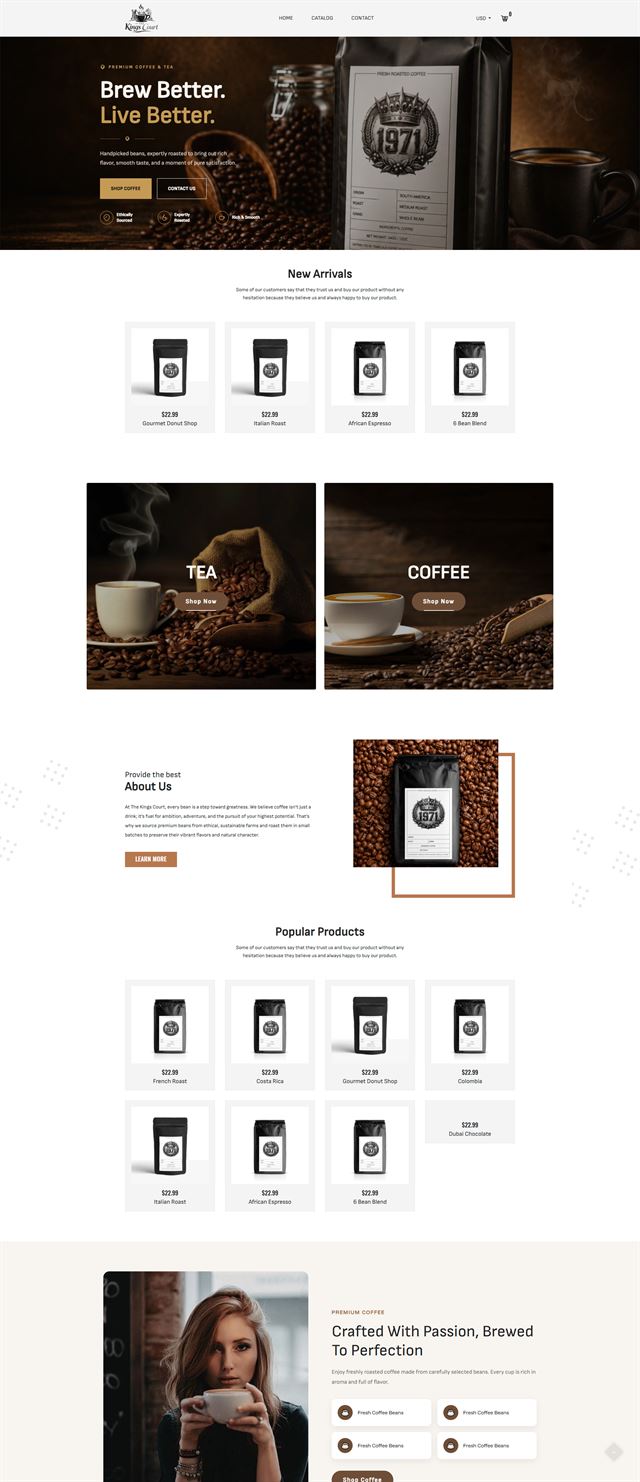
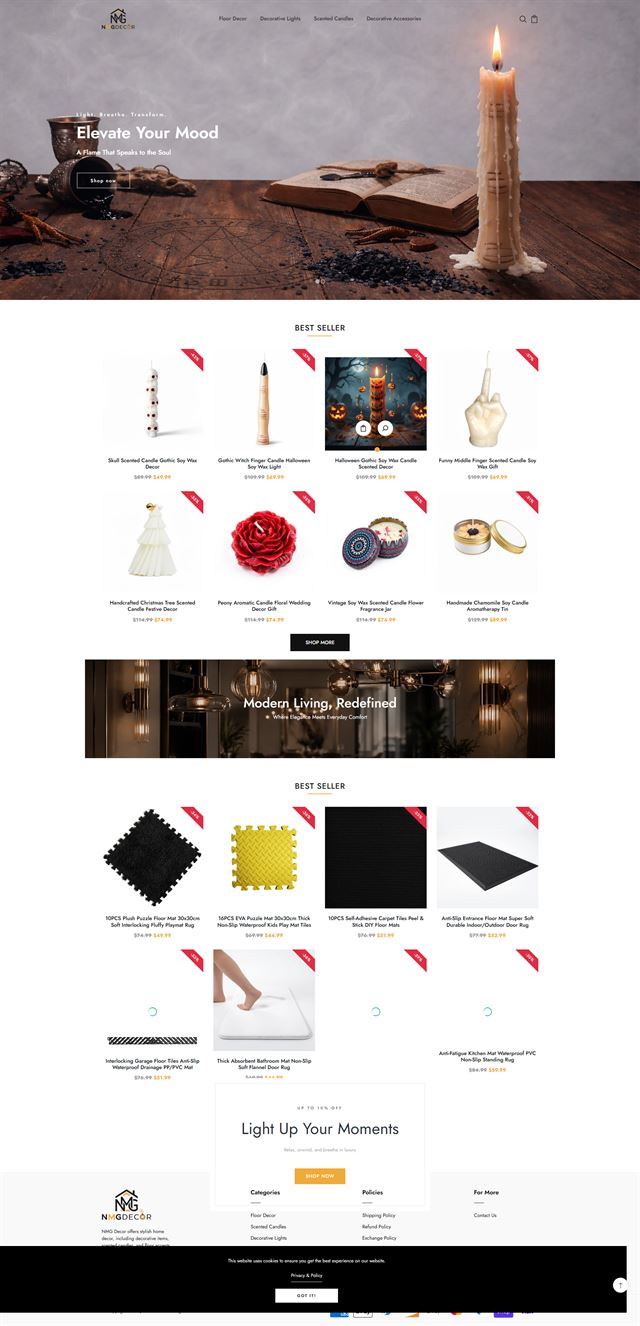
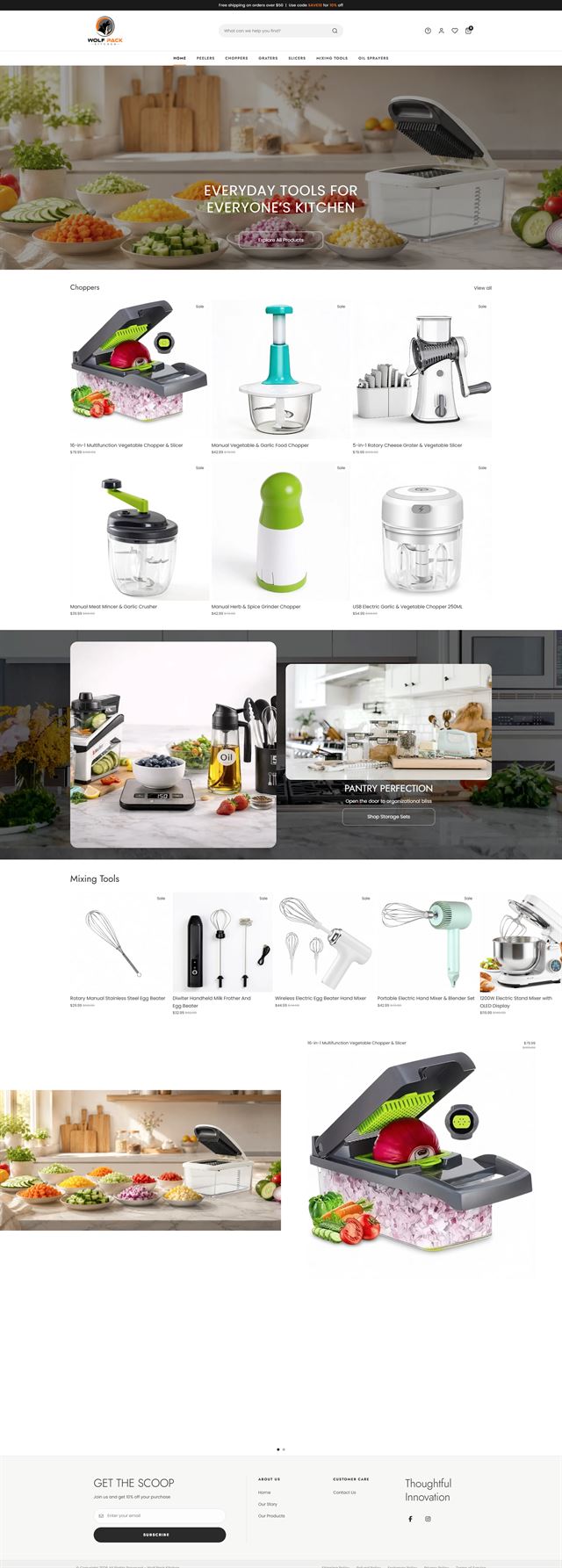
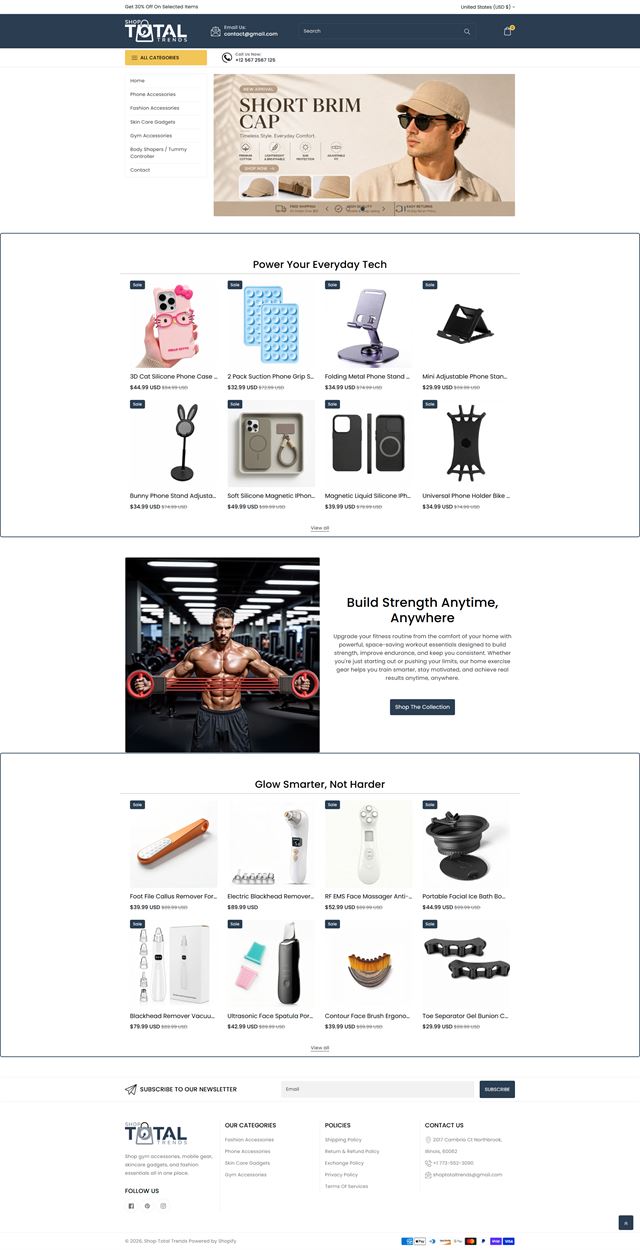
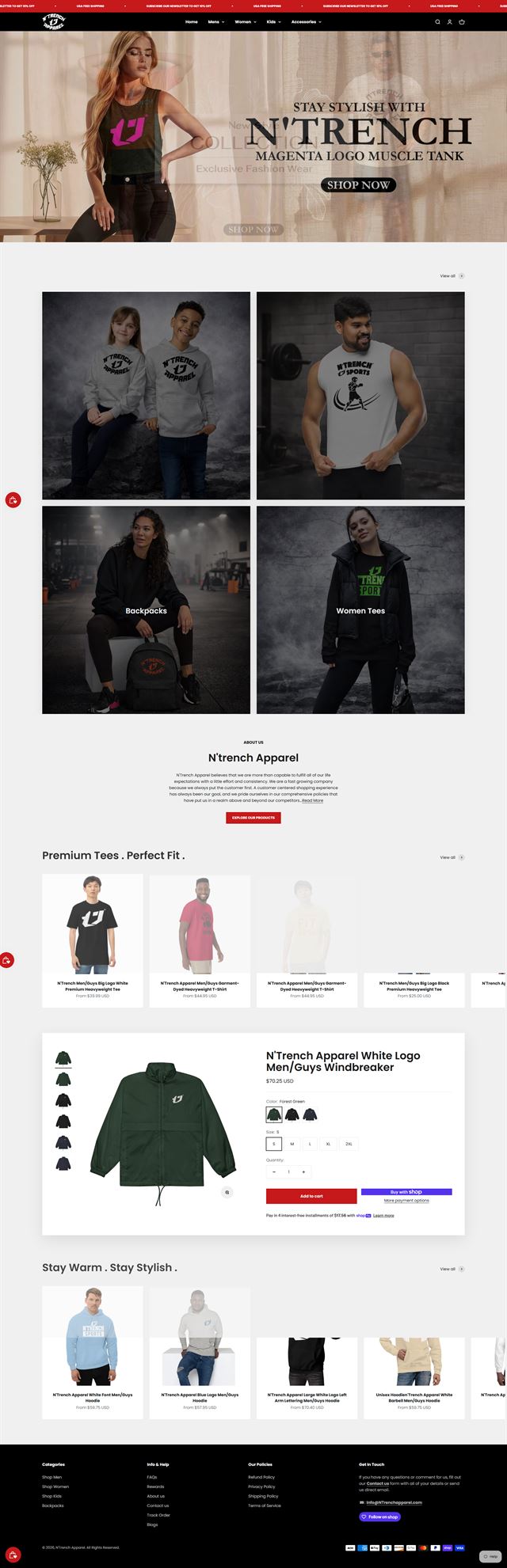
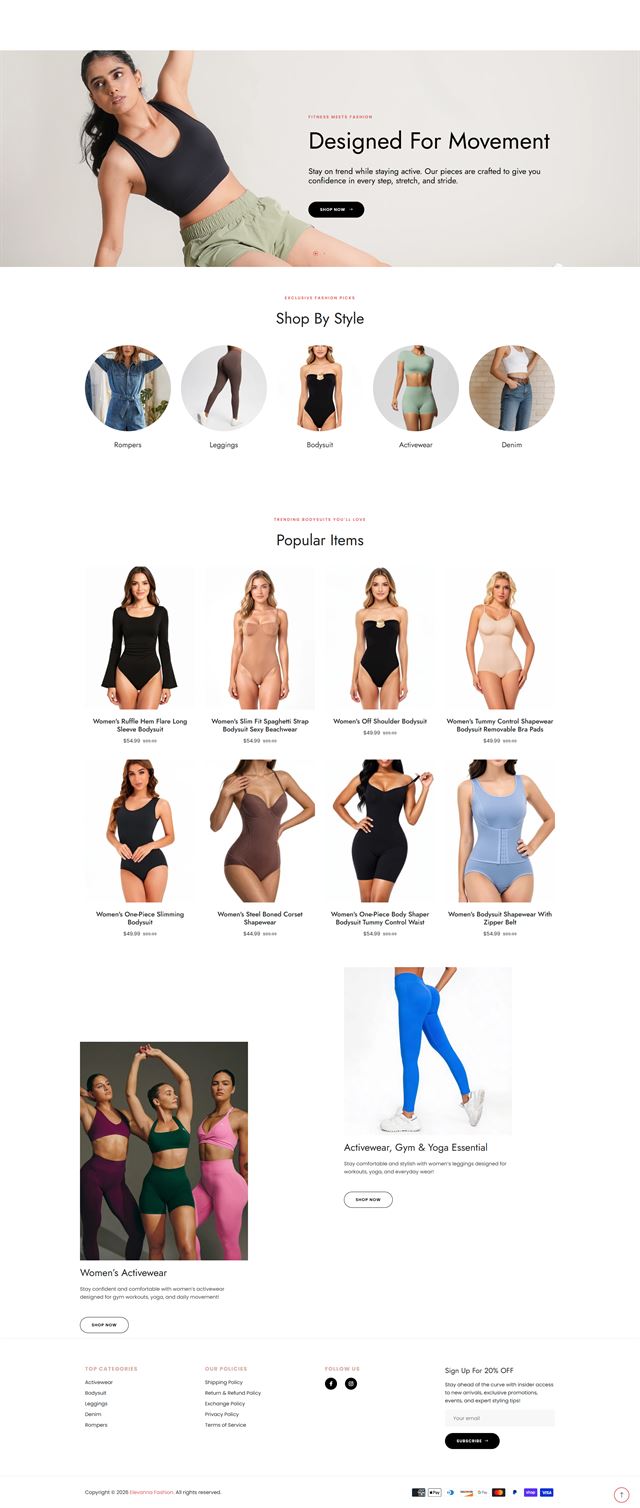
Our Wix portfolio covers stores with different catalogues and day-to-day needs. Some projects start with template customisation and clearer product structure. Others need Wix Stores configuration, custom sections, Wix apps, stronger mobile layouts, or Velo where the website builder reaches its limit. The screenshots show how those choices change by business. The visual direction changes with the brand, but the work underneath stays practical: clear browsing, useful product pages, clean checkout and a store the owner can keep managing after launch.
Before the build
Is Wix good for ecommerce? Start with what your store needs
Wix is a strong fit for many small business stores, especially when the team wants a visual website builder, straightforward catalogue management and control over day-to-day content. It becomes a weaker fit when the operation needs unusually complex product logic, deep B2B rules or heavy custom backend workflows. We make that call before design work begins.
What you sell sets the structure
Product count is only part of the picture. Options, bundles, subscriptions, variants, delivery rules and how much information each item needs all shape the store. We review the product data you already have, identify gaps early, and decide what belongs in Wix Stores before anything is uploaded.
Discuss your store
How customers choose
Some purchases depend on imagery. Others need sizing, ingredients, compatibility, delivery dates or a comparison between options. We write down those questions before the template customisation begins, then make sure the product page answers them consistently across the catalogue.
Discuss your store Navigation in customer language
A menu should reflect what shoppers came to find. We agree the top-level categories, collection logic and the place for new products before the range grows. That keeps the navigation useful instead of turning it into a list of internal departments or every category the business has ever created.
Discuss your store Choose Wix apps for a reason
Wix includes a lot of everyday store functionality, so the app list should stay purposeful. We review payments, shipping, email, reviews, bookings and other tools already in use, then connect only what the operation needs. Extra apps can add cost and maintenance without improving the customer journey.
Discuss your store Your store lives in your Wix account
We build inside the Wix account owned by your business, using contributor permissions for the work. The domain and plan stay in your name, and there is no late transfer from an agency account. That also means your team can see the store taking shape and keep control of access from the beginning.
Discuss your store Ecommerce development across leading platforms and marketplaces
We provide ecommerce store development across leading platforms and marketplaces, including Shopify, WooCommerce, WordPress, BigCommerce, Magento, Wix, Squarespace, Webflow, OpenCart, Drupal, Joomla, eBay, Etsy and TikTok Shop. Whether you need a new store, a redesign, a migration or help improving an existing storefront, we shape the structure, product experience and integrations around the way each platform works so customers can browse and buy with less friction while your team has a store that is practical to manage.
-
 Shopify
Store development
Shopify
Store development
-
 WooCommerce
Store development
WooCommerce
Store development
-
 WordPress
Ecommerce development
WordPress
Ecommerce development
-
 BigCommerce
Store development
BigCommerce
Store development
-
 Magento
Store development
Magento
Store development
-
 Wix
You are here
Wix
You are here
-
 Squarespace
Ecommerce development
Squarespace
Ecommerce development
-
 Webflow
Ecommerce development
Webflow
Ecommerce development
-
 OpenCart
Store development
OpenCart
Store development
-
 Drupal
Ecommerce development
Drupal
Ecommerce development
-
 Joomla
Ecommerce development
Joomla
Ecommerce development
-
 eBay
Store development
eBay
Store development
-
 Etsy
Shop development
Etsy
Shop development
-
 TikTok Shop
Shop development
TikTok Shop
Shop development
How we build
From store plan to Wix launch
The process moves in stages so each decision has a clear place and the build does not race ahead of the content or catalogue.
-
01
Discovery
We learn what you sell, who buys it, how orders are fulfilled and what your team needs to manage after launch.
-
02
Store architecture
We map categories, navigation, page hierarchy and the route from content or collection pages into products.
-
03
UX and visual direction
We turn the brand into practical page rules for typography, spacing, product media and responsive layouts.
-
04
Wix development
We build in Wix Studio or the Wix Editor, set up Wix Stores, handle responsive breakpoints and use Velo only where the standard tools cannot meet a defined need.
-
05
Products and Wix apps
Products, options, collections, payments, shipping and the selected Wix apps are configured against the agreed store structure.
-
06
Testing
We check mobile and desktop journeys, product options, links, forms, cart behaviour and checkout before launch.
-
07
Launch
Domain settings, notifications, policies and analytics are checked before the storefront goes live.
-
08
Refine
Real customer behaviour and the team’s first weeks of use show where the next round of improvements should go.
Questions
Before you commit to a Wix build
Practical questions about Wix ecommerce development, store setup and what your team will manage after launch.
-
Yes. We can plan the structure, configure Wix Stores, set up products and collections, build the storefront, connect the required apps and prepare the store for launch inside your own Wix account.
-
Yes. We first identify what is already working, then focus the rebuild on the parts causing friction, such as navigation, collection structure, product pages, mobile layouts or an app setup that has become hard to manage.
-
No. A template can be a starting point, but template customisation should follow the catalogue and brand rather than dictate them. We can change layout, sections and responsive behaviour while keeping the site practical for your team to edit.
-
Hire a Wix expert when the requirement goes beyond standard drag and drop editing or Wix Stores settings. We can use Velo for defined custom behaviour where it makes sense, but we will also tell you when a requirement belongs on a different platform.
-
For many small business stores, yes. Wix works well when the catalogue is manageable, the team wants easy visual editing, and the store does not depend on complicated B2B or backend logic. Platform fit still depends on what you sell and how you operate.
-
Yes. We can migrate products, options, collections, content and redirects where the source platform allows it. We assess the data first so the scope reflects what can move cleanly and what needs to be rebuilt.
-
Yes. Product setup is part of the build. We work from your existing product data, organise options and collections, and flag missing information before upload so the storefront does not launch with avoidable gaps.
-
Yes. The build is designed so routine work stays manageable in Wix. We show your team the sections, product templates and store settings they are likely to touch, rather than turning every update into a development task.
-
The site is built in your Wix account, with the domain and plan in your name. Your product data, customer relationships and approved creative remain with your business, and you control contributor access.
-
Timing depends on catalogue size, content readiness, template customisation and any Velo work. We scope the project first, then give you a schedule for the actual build.
Ready to build?
Turn your Wix store plan into a site your team can keep using
Starting fresh or improving an existing Wix store, we can plan the structure, build the storefront and prepare your team to manage it after launch.
No pressure on the call. We will explain what we would build, what we need from you and whether the service is a sensible fit.