
 Quick addArden Linen Overshirt$124.003 colours
Magento store development
Magento development services for complex ecommerce operations
When a catalogue, pricing model or back-office workflow has outgrown a simple storefront, Magento gives you room to model the complexity properly. We plan and build Magento and Adobe Commerce stores around product data, customer groups, multi-store requirements, integrations and the day-to-day work your team has to manage after launch.
- Large catalogue and attribute planning
- B2B and multi-store architecture
- Code, data and access kept under your control
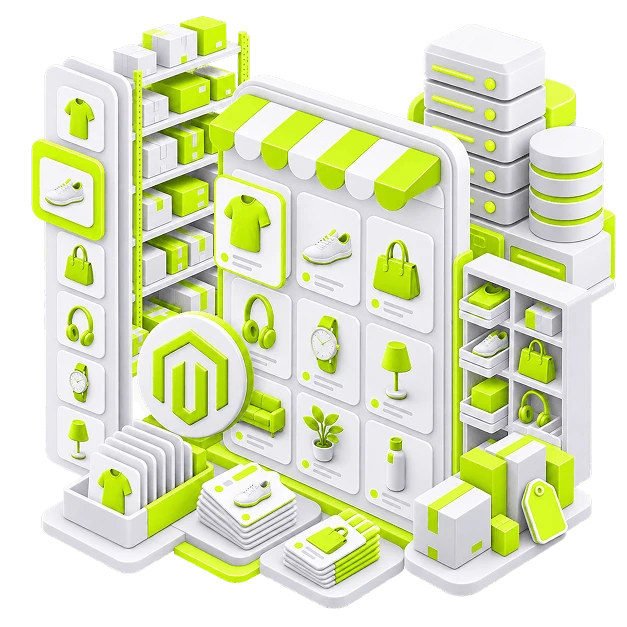
Start with the catalogue
A Magento store development company should model the catalogue before it builds
Magento can carry a complicated range, but it will not decide the structure for you. A useful build starts with attribute sets, categories, product relationships, customer groups and the rules behind search and filtering. That modelling work is what turns enterprise ecommerce from a large database into a store people can actually navigate.
What the storefront has to get right
-
Catalogue model
Attribute sets, product types and relationships that stay manageable as the range grows.
-
Search and filters
Facets built from clean product data so buyers can narrow a large range quickly.
-
Navigation
Category paths written around how customers look for products, not how the ERP stores them.
-
Multi-store setup
Store views, currencies and regional differences planned before content starts to split.
-
Product presentation
Media, specifications, options and availability arranged around the questions buyers ask.
-
B2B rules
Customer groups, account access and pricing logic mapped separately from the retail journey where needed.
-
Checkout logic
Payments, shipping, tax and account rules configured around real order scenarios.
-
Integrations
ERP, PIM, inventory, tax and fulfilment connections specified before custom work begins.
The buying journey
Four screens have to work as one system
A large catalogue becomes manageable when each stage answers the next question without making the customer start over. Category, product, cart and checkout all depend on the same product data and business rules, so we design them as one connected journey rather than four separate templates.
-
01
Category
This is where the catalogue becomes understandable. Layered navigation, sorting and category structure should reflect the attributes customers actually use to compare products. On a large Magento store, a clean category model also keeps merchandising practical for the team maintaining it. If every new product needs a workaround before it can be placed, the architecture is already costing you time.
-
02
Product
The product page has to carry detail without turning into a specification dump. We decide which information belongs near the buying controls, which belongs deeper on the page, and how variants, related products, inventory messages and customer-group rules behave. For B2B ecommerce, the same template may also need account-specific pricing or catalogue visibility without confusing a retail buyer.
-
03
Cart
The cart should confirm the commercial terms before checkout begins. Quantity changes, shipping expectations, discounts and account pricing need to behave predictably, especially when orders are larger or repeat purchases are common. We test the cart against real order patterns instead of only checking whether the button works.
-
04
Checkout
Checkout is configured around how the business actually trades. That includes payment methods, shipping rules, tax, regional settings and customer-group logic. If an Adobe Commerce project uses B2B capabilities such as company accounts or purchase workflows, those rules are tested with the same care as the retail path. The goal is simple: the order that reaches your operation should match what the customer thought they placed.


Adobe Commerce development
Adobe Commerce Development For B2B and Enterprise Ecommerce
Not every Magento project needs Adobe Commerce. When the business does need enterprise licensing, advanced B2B capabilities or a more involved operating model, we scope those requirements first and build around them rather than treating the paid platform as a reason to add complexity.


Selected Magento work
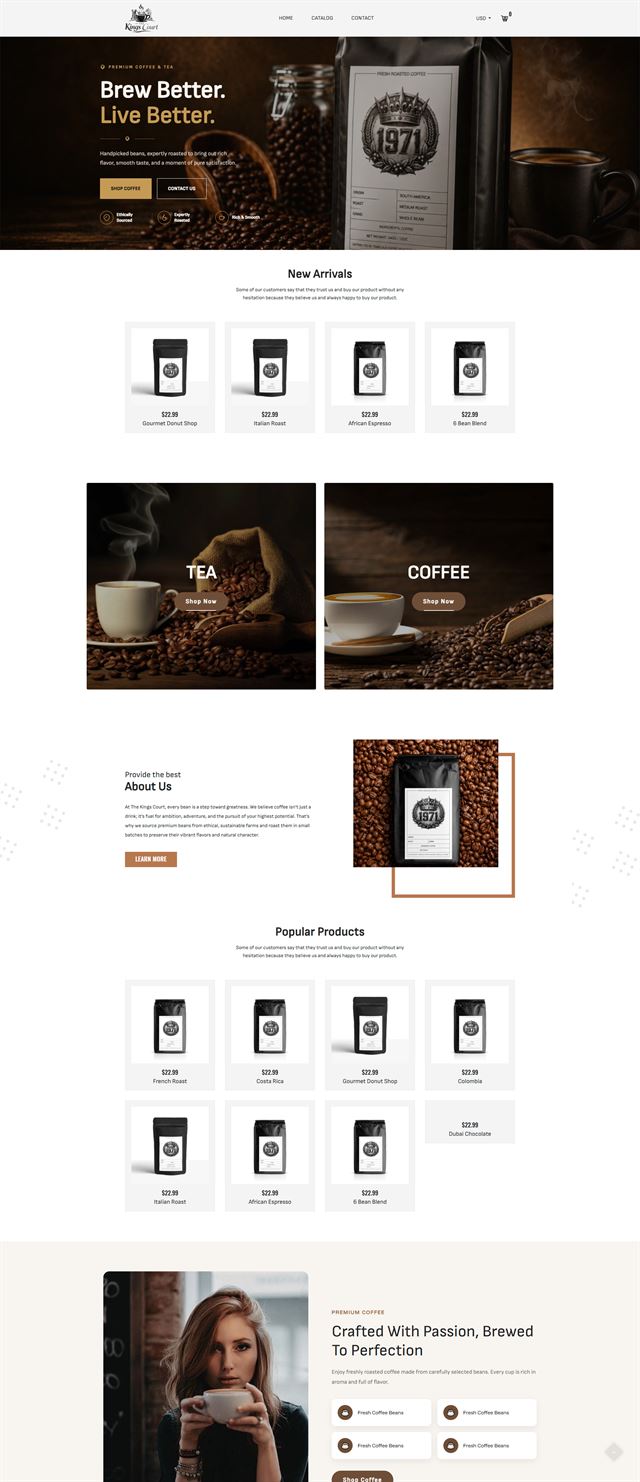
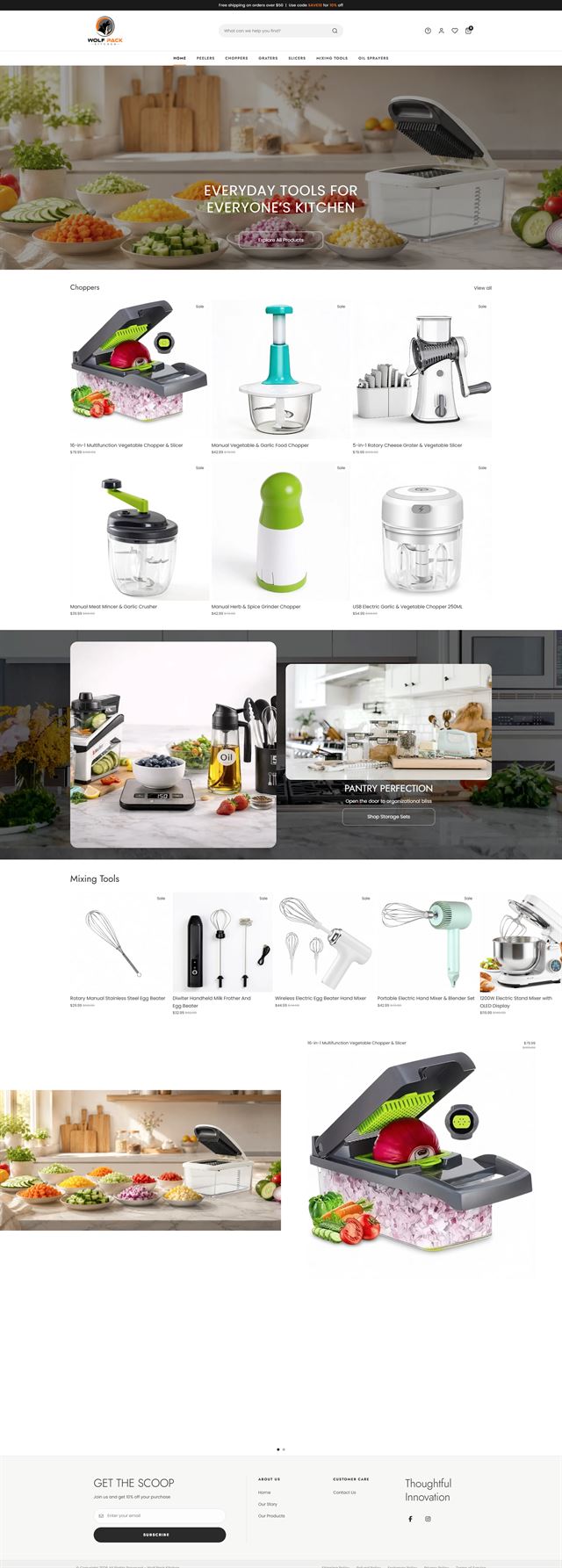
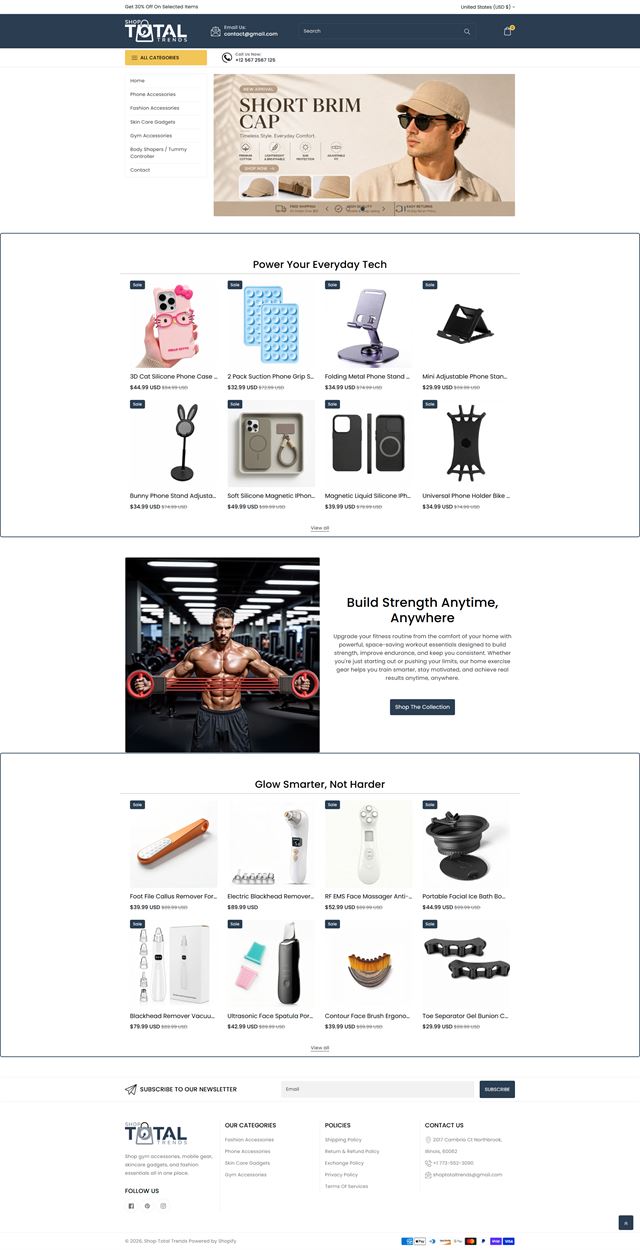
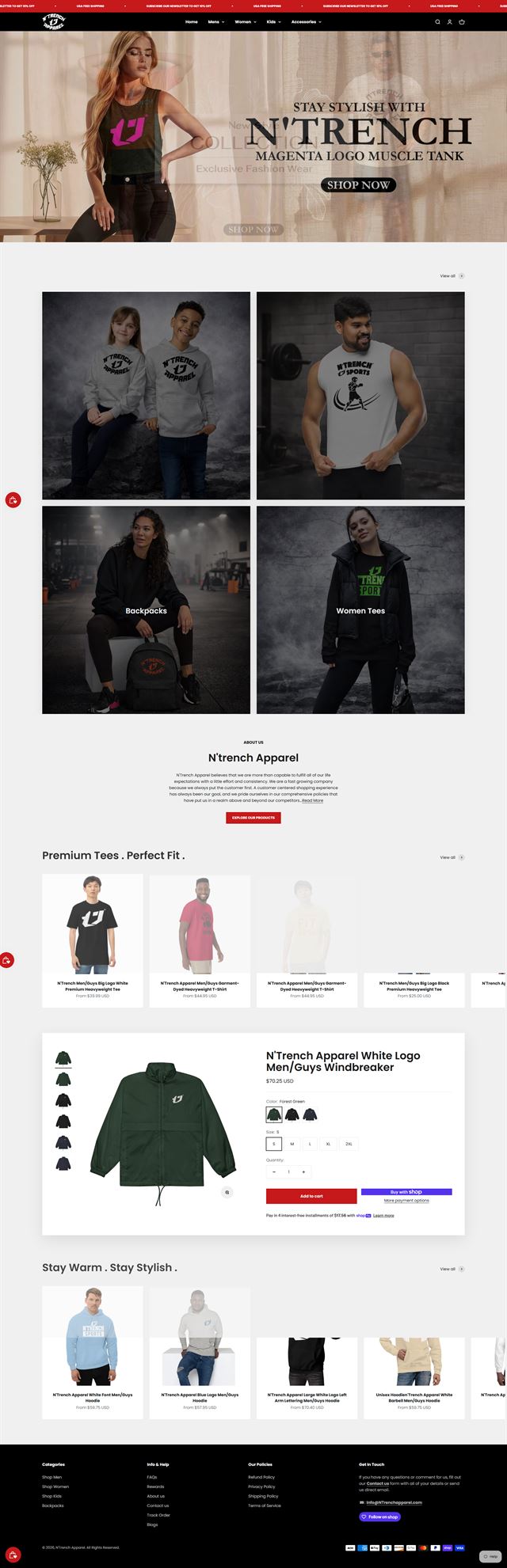
Magento stores built around real catalogues, not demo data
The work shown here reflects the part of Magento development that matters once the sample products disappear and the real catalogue arrives. Some projects need a deep category tree with reliable layered navigation. Others depend on trade pricing, multiple store views, regional content, an ERP connection, or a product information model that several teams have to maintain. We design the storefront around those constraints first, then shape the visual system around the brand. That can include custom theme work, Magento extensions where native behaviour is not enough, PHP module development for a specific business rule, and performance optimisation for large catalogues or heavier integrations. On Adobe Commerce projects, the same approach applies to B2B ecommerce and multi-store requirements: use the platform capabilities that genuinely fit the operation, add custom development only where there is a clear reason, and leave the client with a store their own team can understand after launch.


Magento 2 migration services
Magento 2 migration services begin with what should move
A migration is not a copy-and-paste exercise. Before data moves, we audit the current catalogue, URLs, customer records, order history, extensions, integrations and custom code. Some things deserve to come across unchanged. Others are the reason the old store became difficult to maintain in the first place, so the migration plan separates what to preserve from what to rebuild.
Map the catalogue before the data moves
The migration plan starts with the data model. We compare existing product types, attributes, categories, customer groups and URLs with the structure the new Magento store needs. That is also the right moment to remove duplicate attributes, dead categories and extensions that only exist because the old platform needed a workaround. Cleaner input makes the build easier to test and the finished catalogue easier to run.
Discuss your store
Design the journey around how each customer buys
A retail buyer and a trade account may be looking at the same product for different reasons. We map what each audience needs to see, which prices or catalogues apply, what information must be public and what belongs behind an account. That decision shapes product templates, customer groups, checkout and the B2B modules or configuration the project actually needs.
Discuss your store Plan multi-store setup before the stores diverge
Magento can support multiple websites, stores and store views, but the flexibility only helps when the shared rules are clear. We agree which products, prices, languages, currencies, content and promotions should stay common and where a store needs its own version. Doing this early prevents regional storefronts from turning into separate builds that happen to share a backend.
Discuss your store Magento extensions have to earn their place
Extensions are useful when they solve a real requirement, but each one adds another dependency to upgrades, testing and performance. We audit the extension stack against the jobs the business actually needs. If native Magento or Adobe Commerce functionality already covers the requirement, we use it. If the gap is specific to your operation, custom PHP development may be cleaner than stacking several extensions that overlap.
Discuss your store Performance optimisation starts with the architecture
Hosting matters, but infrastructure cannot rescue a catalogue model or extension stack that creates unnecessary work on every request. We plan environments, caching, indexing, media delivery and deployment before development settles in. That gives performance optimisation a sensible baseline and makes later troubleshooting much easier than treating speed as a final-week task.
Discuss your store Ecommerce development across leading platforms and marketplaces
We provide ecommerce store development across leading platforms and marketplaces, including Shopify, WooCommerce, WordPress, BigCommerce, Magento, Wix, Squarespace, Webflow, OpenCart, Drupal, Joomla, eBay, Etsy and TikTok Shop. Whether you need a new store, a redesign, a migration or help improving an existing storefront, we shape the structure, product experience and integrations around the way each platform works so customers can browse and buy with less friction while your team has a store that is practical to manage.
-
 Shopify
Store development
Shopify
Store development
-
 WooCommerce
Store development
WooCommerce
Store development
-
 WordPress
Ecommerce development
WordPress
Ecommerce development
-
 BigCommerce
Store development
BigCommerce
Store development
-
 Magento
You are here
Magento
You are here
-
 Wix
Ecommerce development
Wix
Ecommerce development
-
 Squarespace
Ecommerce development
Squarespace
Ecommerce development
-
 Webflow
Ecommerce development
Webflow
Ecommerce development
-
 OpenCart
Store development
OpenCart
Store development
-
 Drupal
Ecommerce development
Drupal
Ecommerce development
-
 Joomla
Ecommerce development
Joomla
Ecommerce development
-
 eBay
Store development
eBay
Store development
-
 Etsy
Shop development
Etsy
Shop development
-
 TikTok Shop
Shop development
TikTok Shop
Shop development
How we build
From scope to a stable Magento release
Eight stages, each with a clear output before the next one starts.
-
01
Discovery
We document the business model, customer types, catalogue, current systems and the reasons Magento or Adobe Commerce is being considered.
-
02
Catalogue & data model
Product types, attribute sets, categories, customer groups and store views are agreed before theme work begins.
-
03
UX & store views
We map the buying journeys, product presentation, account paths and the differences between retail, B2B and regional storefronts.
-
04
Magento / Adobe Commerce development
Theme work, custom modules, admin configuration and B2B features are built against a staging environment with the update path and maintainability in mind.
-
05
Extensions & integrations
Approved Magento extensions are configured and the required ERP, PIM, inventory, tax, payment or fulfilment connections are tested with real data flows.
-
06
Migration rehearsal & testing
We test migrated data, customer journeys, permissions, checkout, store views and integrations before the production cutover.
-
07
Launch
Production deployment follows an agreed cutover plan, including redirects, indexing, notifications, analytics and post-launch checks.
-
08
Support & optimisation
Live behaviour, performance and operational feedback shape the next release instead of turning into an unplanned list of fixes.
Questions
Before you commit to the build
The questions we would expect to settle before a Magento or Adobe Commerce project starts.
-
Yes. The right choice depends on the features, B2B requirements, hosting model and licensing your business needs. We scope the requirement first, then recommend the edition that fits it rather than assuming every enterprise ecommerce project needs the paid platform.
-
Yes. We start with the catalogue model and the systems around it, then move into UX and development. That order matters on Magento because attribute sets, categories, customer groups and integrations affect almost every template that comes later.
-
Yes. We audit the current theme, catalogue structure, custom code, extensions and integrations before deciding what should stay. Established stores often need targeted rebuilding more than a complete reset, especially when the underlying product model is still sound.
-
Yes. We scope product and customer data, order history, URLs, extensions, custom code and integrations before the move. The migration plan includes what will be cleaned up, what needs rebuilding and how the cutover will be rehearsed before production data is switched over.
-
Yes. Magento can manage multiple websites, stores and store views from one installation. We define what is shared and what varies across products, pricing, language, currency, content and promotions before development begins, because those choices shape permissions, templates and data flows.
-
Yes. Customer groups and trade pricing can be configured in Magento, and Adobe Commerce projects can go further with licensed B2B capabilities where the business case supports them. We map the account, pricing and approval workflow first so configuration follows the way your sales team actually works.
-
We start with the requirement, then check whether Magento or Adobe Commerce already handles it. If an extension is needed, we review compatibility, maintenance history and the impact on upgrades and performance. Custom PHP development is reserved for business rules that are specific enough to justify owning the code.
-
It covers the parts we can influence in the build: caching, indexing, media handling, extension behaviour, query-heavy features and the way integrations are called. Hosting and traffic still matter, so we give you a realistic performance plan rather than a fixed speed-score promise.
-
For Magento Open Source, the codebase, database, product data and approved creative can sit on infrastructure and repositories in your name. For Adobe Commerce, platform and hosting rights follow your Adobe agreement, while your custom code, data and project assets remain part of the agreed handover, subject to any third-party licences.
-
The schedule depends on catalogue complexity, migration scope, store views, integrations, custom modules, content readiness and approval speed. We give the project a timeline after discovery, because two Magento builds with the same product count can involve very different amounts of work.
Ready to build?
Turn complex commerce into a store your team can actually run
Whether you are starting a new Magento project, planning Adobe Commerce development, or moving an established catalogue through Magento 2 migration services, we can define the architecture, build the storefront, connect the operation and prepare the release with a scope your team can understand.
We will use the call to understand the catalogue, the systems around it and the reason you are considering Magento, then explain what we would build and what we would need from your side.